Finance: overview and guides
Finance · Guide
Plan your cash-basis profit statement (EÜR) per month
The EÜR plan is your annual overview: one row per type of income or expense, one column per month. Sums and surplus are calculated automatically.
The steps in Merchavio
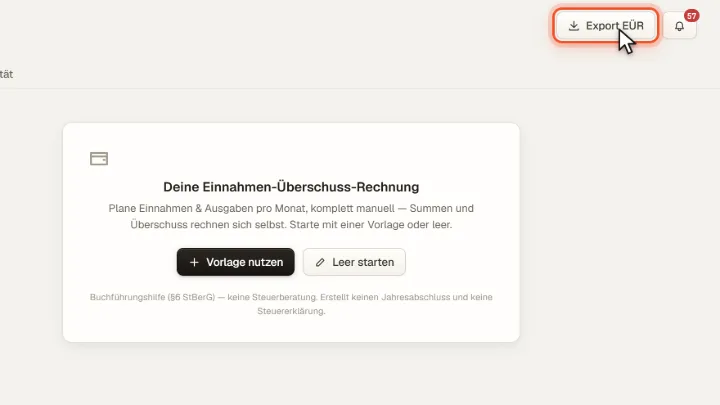
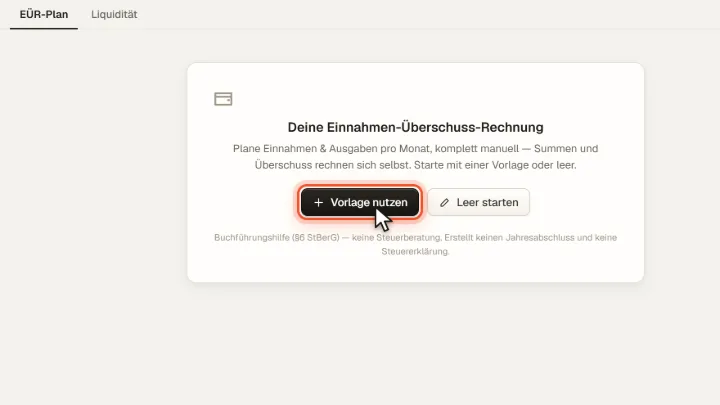
Screenshots from Merchavio with sample data. The coloured frame shows where to click.
Start the plan
Open Finance and stay in the EÜR-Plan tab. Vorlage nutzen starts with typical rows, Leer starten with an empty table.
Fill in
Enter your planned or actual amounts per month. Income, expenses and surplus are added up automatically.
Export
Export EÜR downloads the plan for your tax advisor.