Products: overview and guides
Set prices and subscriptions for digital products
When you set prices and subscriptions, you decide how buyers pay: once, monthly, annually or for life, or nothing at all with just an email address. The Pricing tab shows the checkout on the right exactly as buyers see it.
One-time price or subscription?
A one-time price suits products that are finished, such as an ebook or a recorded course. A subscription suits ongoing value: a community, new lessons every month, software. With several plans you offer both, for example monthly and annual.
The steps in Merchavio
Screenshots from Merchavio with sample data. The coloured frame shows where to click.
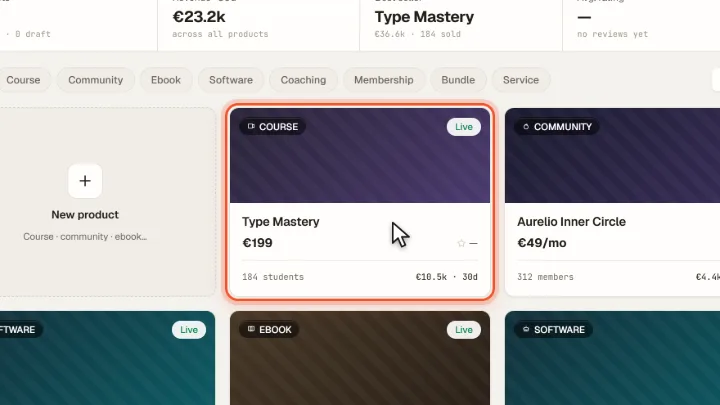
Open a product
Open Products and click the product you want to price.
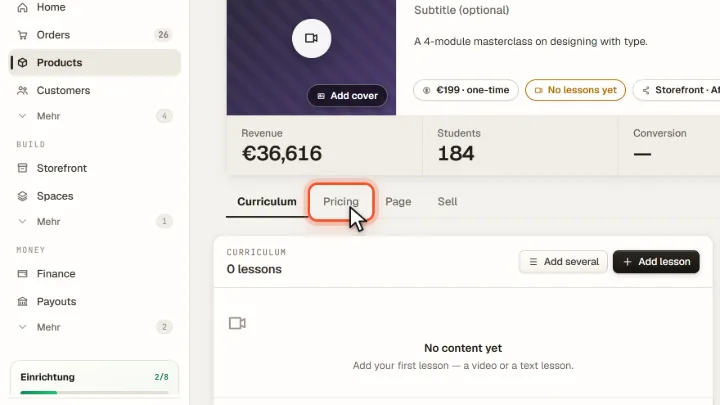
Open Pricing
Switch to the Pricing tab.
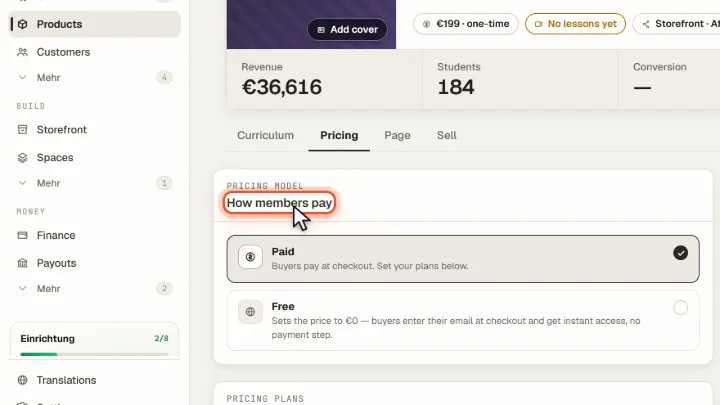
Paid or free
Under Pricing model choose Paid or Free. Free products only ask for an email address at checkout and give access straight away.
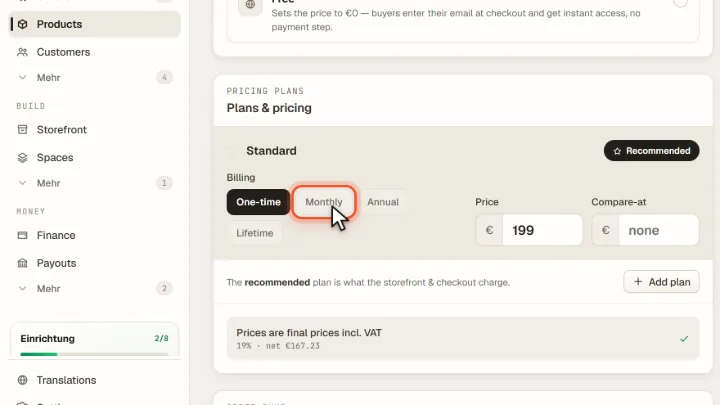
Billing and price
Under Billing choose One-time, Monthly, Annual or Lifetime and enter the Price. Compare-at shows an earlier price struck through. With Add plan you offer several plans.
Tips from practice
- Offer an annual plan next to the monthly one. Both live in the same product via Add plan, and buyers choose when they buy.
- Use a free product to collect email addresses, for example a short guide, and sell the full product afterwards.
Common mistakes
- Using a compare-at price that never applied. A struck-through price should be a price you really charged before.
- Entering net prices. Prices for consumers are gross prices including VAT.
Frequently asked questions
What happens after an annual subscription?
After 12 months an annual subscription continues monthly at the annual price divided by 12 and can then be cancelled monthly.
Can buyers pay with PayPal?
Payments run through Stripe. PayPal, Apple Pay and Google Pay are available as payment methods there once you switch them on in your Stripe dashboard.
Related guides
How to offer a free trial for your membership
Free days before the subscription starts.
Read →Analytics · GuideManage subscriptions: pause, resume, cancel and reactivate
Pause, resume, cancel or reactivate.
Read →Settings · GuideConnect Stripe and receive payments in your own account
Receive payments in your own account.
Read →