Products: overview and guides
Sales channels for digital products: store, marketplace and affiliates
The sales channels decide where buyers find your digital products. In the Sell tab of each product your own store is the basis; the marketplace and your affiliates bring additional reach.
Which channel fits what
Your storefront is where your own audience buys, at your plan's fee. The marketplace helps when people do not know you yet; listing is free, you only pay a commission on marketplace sales. Affiliates promote your product to their audience for a commission.
The steps in Merchavio
Screenshots from Merchavio with sample data. The coloured frame shows where to click.
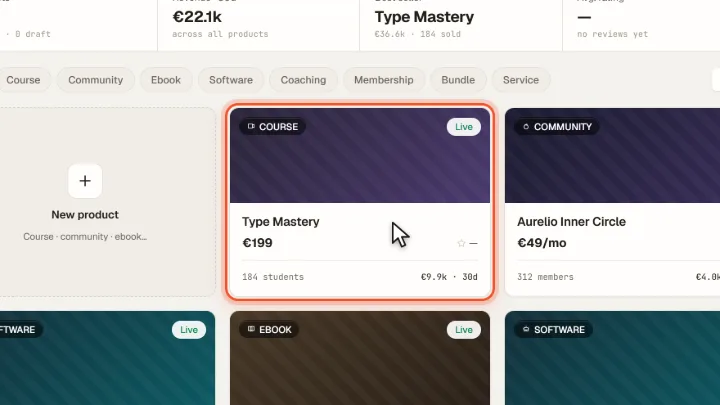
Open a product
Open Products and click a product.
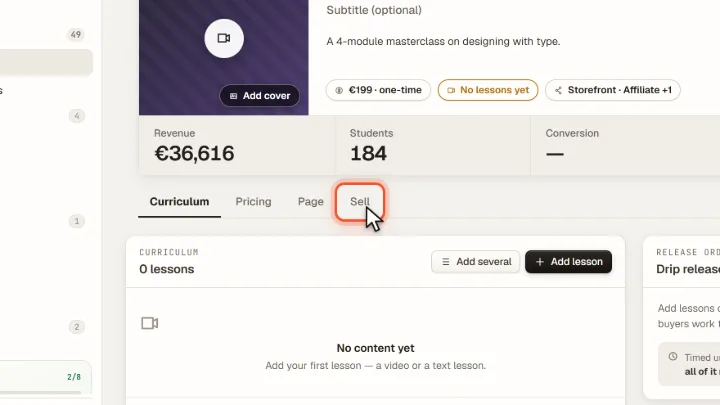
Open Sell
Switch to the Sell tab.
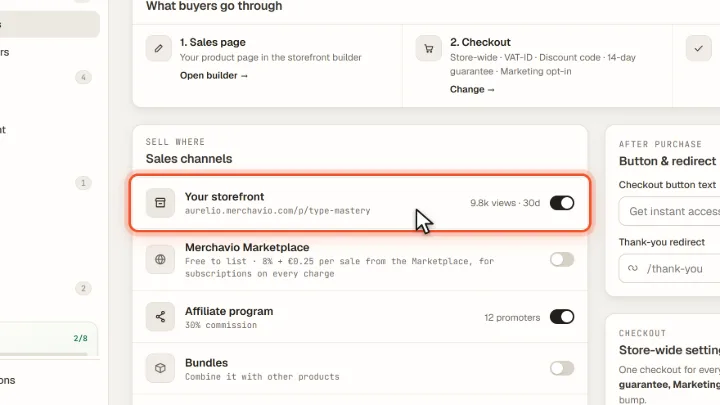
Switch channels on
Under Sales channels, Your storefront gives the product its own sales page in your store. You can also switch on Merchavio Marketplace and the Affiliate program.
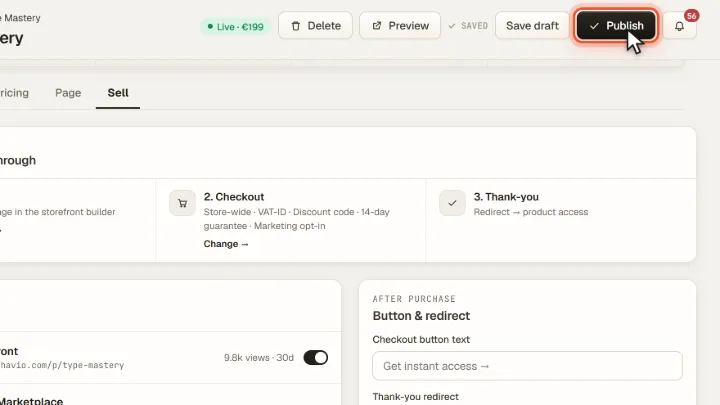
Publish
Click Publish at the top right. From now on buyers can purchase the product. Merchavio then asks whether it should also go into the marketplace; it only appears there if you click List on Marketplace.
Tips from practice
- Write a full description before listing on the marketplace. The marketplace requires a title of 5 to 60 characters and a description of at least 150 characters.
- Link your own audience to your store, not to the marketplace, so the lower fee of your plan applies.
Common mistakes
- Switching on affiliates without an affiliate program. Set up commission and terms under Affiliates first.
Frequently asked questions
What does the marketplace cost?
Listing is free. Sales made through the marketplace cost a commission of 8% + €0.25, for subscriptions on every charge. Sales in your own store keep the fee of your plan.
Is my product listed in the marketplace automatically?
No. A product only appears in the marketplace after you agree: when you publish, Merchavio asks, and only List on Marketplace lists it. You can also switch on Merchavio Marketplace in the Sell tab and switch it off there at any time.
Which channel did a sale come from?
Every order shows its sales channel under Orders; Analytics shows revenue by channel.
Related guides
Set up your affiliate program: commission and rules
Commission per product and rules.
Read →Analytics · GuideTrack store revenue: orders, channels and top products per period
Revenue, orders and channels per period.
Read →Storefront · GuideDesign your store with the page builder
Design your store with sections.
Read →