Orders: overview and guides
Orders: every sale in one list
Under Orders you find every sale from your store, the marketplace and your affiliates. You filter by status, search for a customer and download the data of each order as a CSV file.
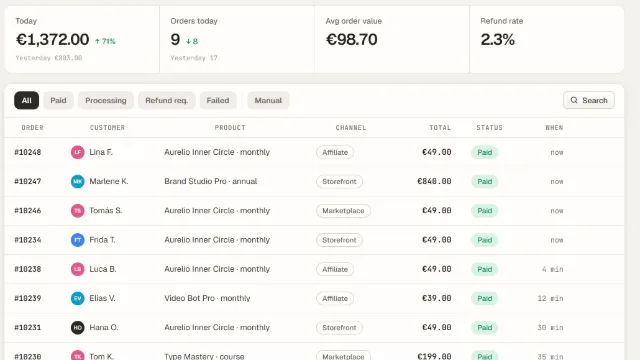
How Orders works in Merchavio
Buyers pay through Stripe straight into your own Stripe account. Merchavio records each payment as an order with amount and buyer country, sends the buyer a purchase confirmation with an invoice in your name (through Stripe) and grants access to courses, communities and downloads automatically.
At the top you see today's revenue and orders compared with yesterday, the average order value and the refund rate.
What you can do in Orders
- Filter by Paid, Processing, Failed and Manual
- Search by customer, email, product, order number or channel
- Sales channel per order: storefront, marketplace, affiliate
- Data of every paid order as a CSV download
- Record orders paid outside Merchavio
- Export all orders as a CSV file
Guides for Orders
Frequently asked questions
Where does the money from an order go?
Straight into your own Stripe account. Merchavio never holds your money; the fee per sale is deducted automatically with each payment.
What do buyers get after paying?
A purchase confirmation by email with order number, products, total and your details as the seller. If invoices through Stripe are on under Settings → Taxes (default), the invoice in your name is attached as a PDF link. In the order list the receipt icon opens the invoice; for orders without one it downloads the order data as a CSV.