Orders: overview and guides
Orders · Guide
Record a manual order (cash or bank transfer)
Sometimes someone pays in cash at a workshop or by bank transfer. With a manual order the sale still appears in your list. It is marked as "Manual", costs no platform fee and is not counted in the revenue that ran through Merchavio.
The steps in Merchavio
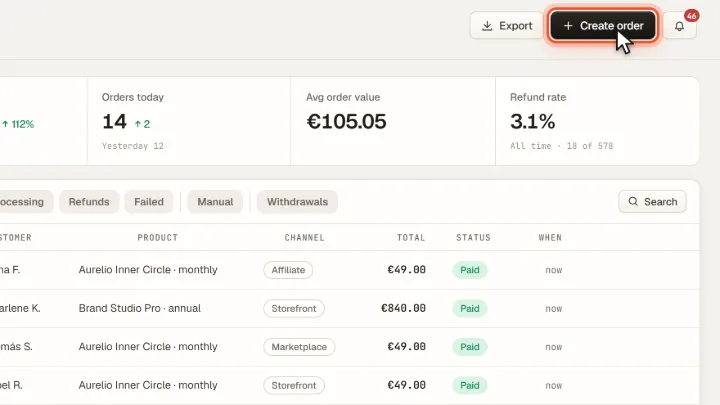
Screenshots from Merchavio with sample data. The coloured frame shows where to click.
Create an order
Open Orders and click Create order at the top right.
Enter the details
Choose the product, then enter the customer's name, their email address (optional) and the amount. Record order saves it.
Frequently asked questions
Does a manual order give access to a course?
No. Manual orders are only a record. Access to courses and communities comes from orders paid through the checkout.