Settings: overview and guides
Settings: legal texts, payments, taxes, team and plan
In Settings you decide who is selling and set up legal texts, payments, taxes, checkout, team, notifications, AI assistant, security and your Merchavio plan.
How Settings works in Merchavio
Built in: imprint and content reporting in every store, a cancellation button for subscriptions without login and the consent to immediate access at checkout. You remain responsible for your offer and your texts.
What you can do in Settings
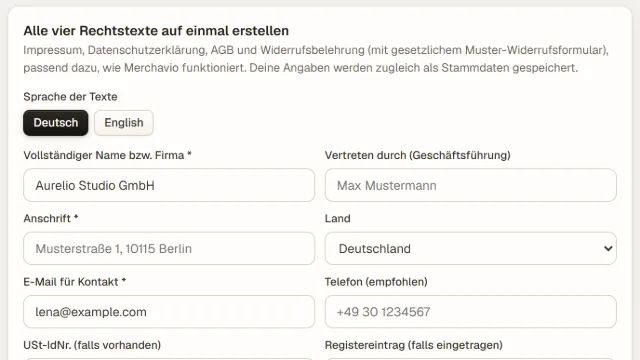
- Legal text generator: imprint, privacy policy, terms, withdrawal policy
- Connect your own Stripe account
- Country, customer type and VAT
- Team seats with roles: Owner, Admin, Staff, Accountant
- Browser and app icon of your store
- Change plan monthly or yearly
- Dashboard language: English or German
Guides for Settings
Create imprint, privacy policy, terms and withdrawal policy
Imprint, privacy, terms and withdrawal.
Open guide →Connect Stripe and receive payments in your own account
Receive payments in your own account.
Open guide →Set up taxes: country, customers, VAT and invoices
Country, customer type, VAT rate and invoices.
Open guide →Invite your team and assign roles
Invite teammates with roles.
Open guide →Set the app icon for your store and community
Your icon in the browser tab and on phones.
Open guide →Change your Merchavio plan: monthly or yearly
Change plan, monthly or yearly.
Open guide →Frequently asked questions
Are the legal text templates legal advice?
No. The templates are a starting point matched to how Merchavio works. Have them checked if you are unsure.
Can buyers cancel without logging in?
Yes. The cancellation button (§ 312k BGB) works without login, and the end date is confirmed by email.