Settings: overview and guides
Settings · Guide
Change your Merchavio plan: monthly or yearly
All plans include store, courses, community, livestreams and back-office. Higher plans raise limits and lower the fee per sale. Yearly billing costs 10 monthly prices.
The steps in Merchavio
Screenshots from Merchavio with sample data. The coloured frame shows where to click.
Your plan
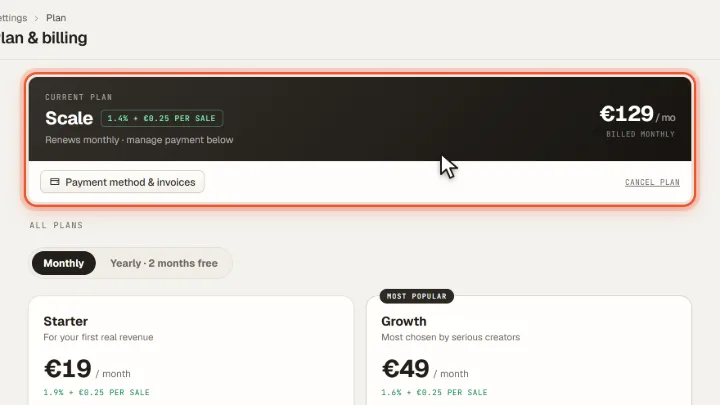
Open Settings and then Plan. At the top you see your current plan, the fee per sale and the billing interval.
Choose plan and interval
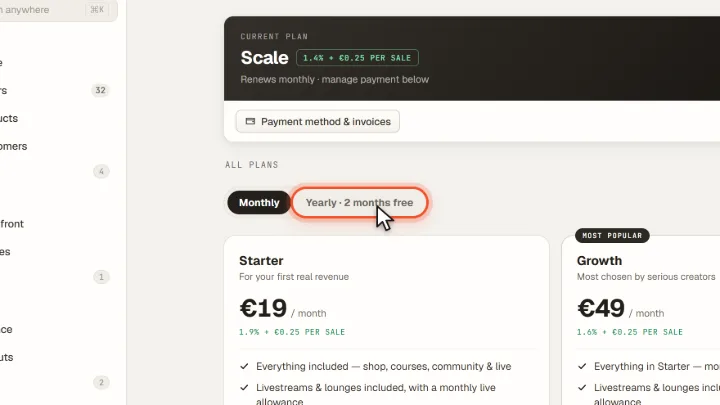
Choose Monthly or Yearly and compare the plans. Click the plan you want to switch to.
Frequently asked questions
Can I cancel at any time?
Monthly plans can be cancelled monthly. Until your paid period ends, you can export customers, orders and subscriptions as CSV.