Home: overview and guides
Control what the AI may see and use
You decide which areas of your dashboard the AI may read and use, for example revenue and orders but not customer data. The saving mode answers questions about using Merchavio with the help assistant first and saves your AI allowance.
The steps in Merchavio
Screenshots from Merchavio with sample data. The coloured frame shows where to click.
Open the AI settings
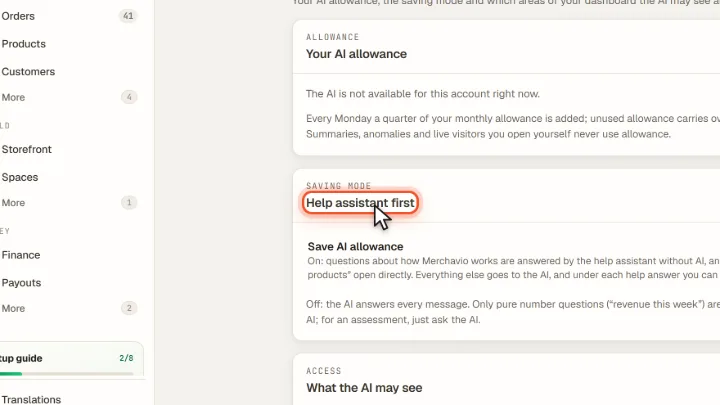
Open Settings and then AI assistant. At the top you see your allowance as a bar, below it the saving mode Help assistant first.
Choose the areas
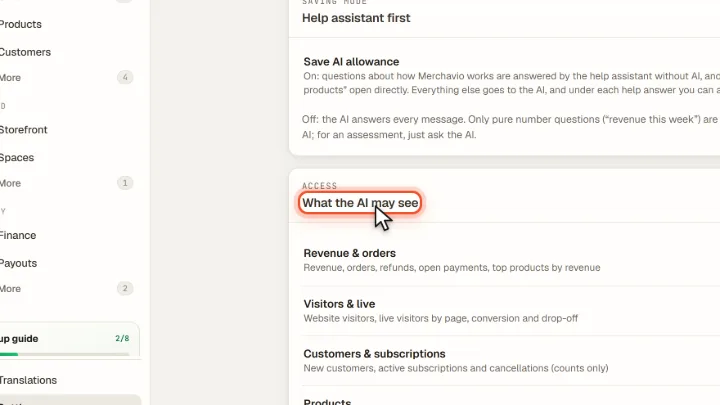
Under What the AI may see you switch each area on or off: revenue and orders, visitors, customers and subscriptions, products, discounts, website and affiliate payouts. Block all and Allow all switch everything at once.
Frequently asked questions
What happens to a blocked area?
The AI cannot read or change it. The block applies in the browser and on the server, and earlier results from that area are removed from the stored chat history.