Home: overview and guides
Ask the AI about revenue, orders and visitors
You do not need to click through reports: ask Merchavio what you want to know. Pure number questions are shown straight away as charts, for an assessment the AI looks at your figures and explains what stands out.
The steps in Merchavio
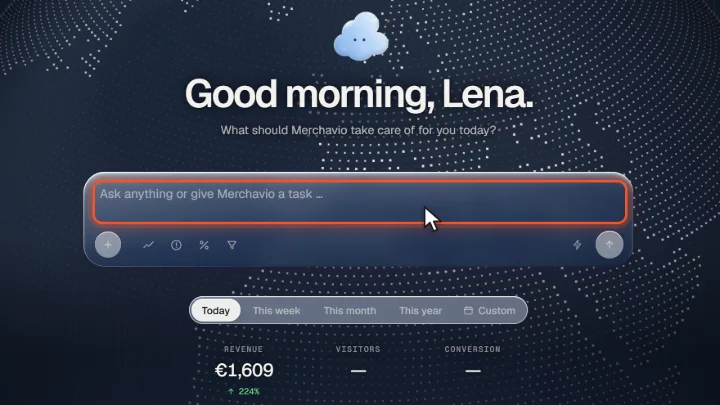
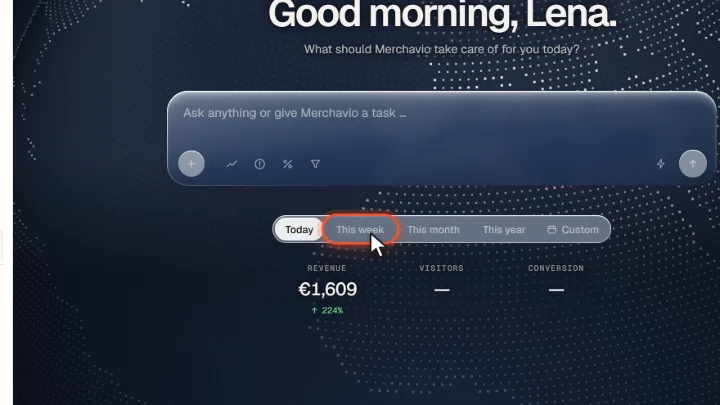
Screenshots from Merchavio with sample data. The coloured frame shows where to click.
Open Home
Click Home in the sidebar. In the centre is the input field Ask anything or give Merchavio a task.
Choose the period
Below the field you choose the period: Today, This week, This month, This year or Custom. Revenue, visitors and conversion below it change with it.
Ask your question
Type your question, for example "How did this week go compared to last week?" or "Why did revenue drop?", and press Enter. Questions that only ask for a number are answered as a chart without using AI allowance.
Follow the buttons in the answer
Under the answer the AI places buttons such as "Open discounts". A click opens the page; the conversation continues in the floating chat at the bottom.