Marketing: overview and guides
Marketing · Guide
Write and send an email campaign
A campaign is a one-off email to your list, for example a launch or a newsletter. It goes to everyone who has confirmed their subscription.
The steps in Merchavio
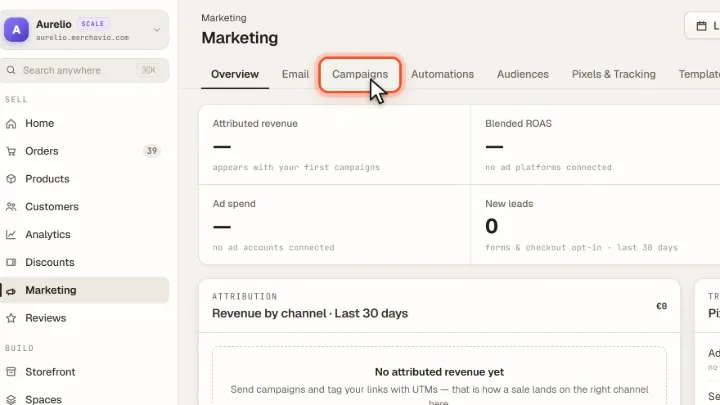
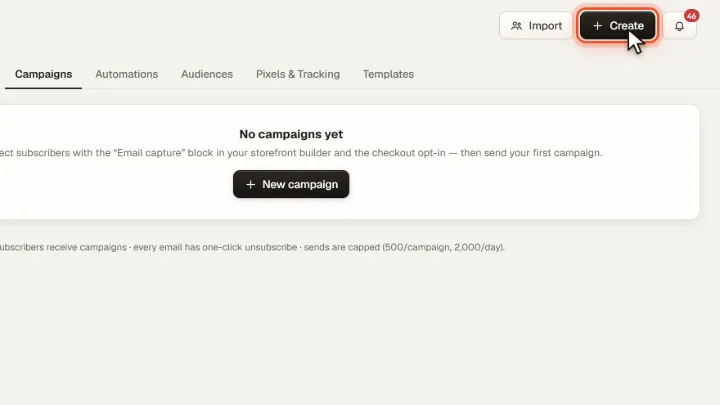
Screenshots from Merchavio with sample data. The coloured frame shows where to click.
Open Campaigns
Open Marketing (under More in the sidebar) and click the Campaigns tab.
Write the campaign
Click Create at the top right, enter subject and text and save the campaign.
Send
Click Send on the campaign. Merchavio shows how many confirmed subscribers will receive it and asks for confirmation. Sending cannot be undone.