Marketing: overview and guides
Marketing · Guide
Send an automatic welcome email to new subscribers
The welcome email goes out by itself as soon as someone confirms their subscription, so new subscribers hear from you straight away.
The steps in Merchavio
Screenshots from Merchavio with sample data. The coloured frame shows where to click.
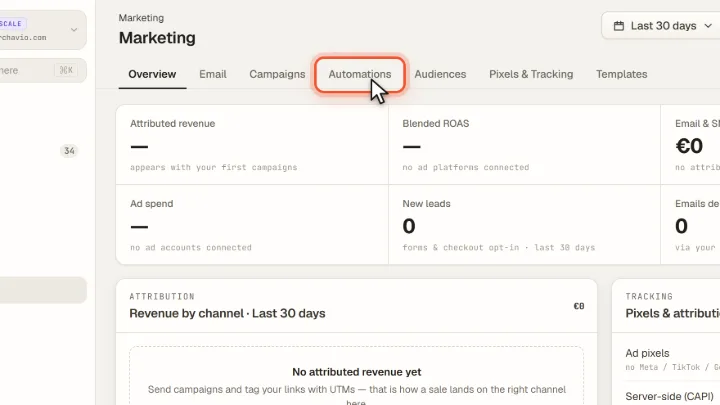
Open Automations
Open Marketing and click the Automations tab.
Set up the welcome email
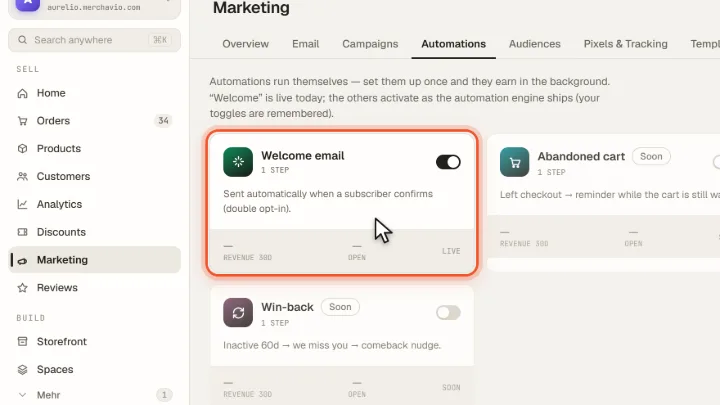
The Welcome email is sent automatically when a subscriber confirms (double opt-in). The switch on the card turns it on or off; it is on by default.
Frequently asked questions
Are there more automations, such as abandoned cart emails?
Not yet. Today the welcome email is sent automatically; further flows are shown as coming soon.