Analytics: overview and guides
Sales reports: revenue by product and channel, order value and buyers
A sales report answers one question, for example which product earns the most. In the Reports tab Merchavio calculates these reports from all your paid orders; you open one and export it as a CSV file.
Beta: Five reports already calculate from your real orders. The others in the catalog (for example revenue by country, traffic or cohorts) stay empty for now.
Which report answers which question
Revenue by product shows what earns the most, Revenue by channel whether sales come from your storefront, the marketplace or affiliates. Average order value and Units sold show the size of a typical order, New vs returning how many buyers come back.
The catalogue contains further reports (country, traffic, cohorts, finance). They stay empty until Merchavio has data for them; nothing is estimated.
The steps in Merchavio
Screenshots from Merchavio with sample data. The coloured frame shows where to click.
Open Reports
Open Analytics and click the Reports tab.
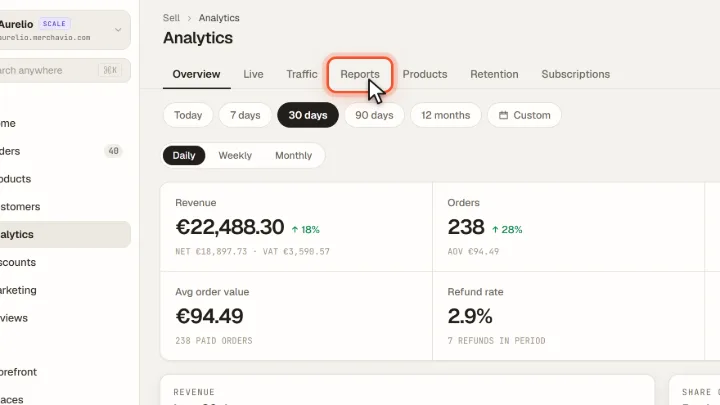
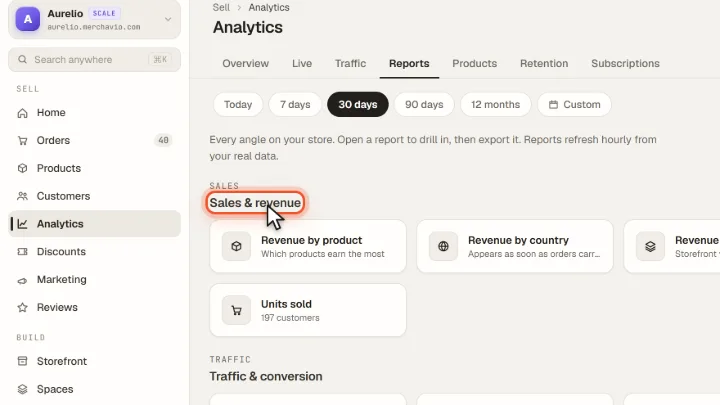
Choose a report
The reports are grouped into Sales & revenue, Traffic & conversion, Customers and Finance. Click a report to open it.
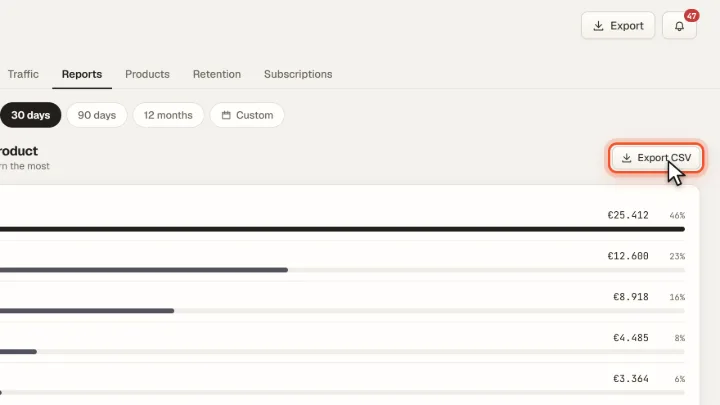
Export as CSV
The report shows each row with value and share. Export CSV downloads exactly these rows, for example for a spreadsheet.
Tips from practice
- Use the overview for periods. Reports cover all paid orders; for a single month, use the Overview tab with the period bar.
- Watch New vs returning. A growing share of returning buyers is a good sign for bundles, upsells or a subscription.
Common mistakes
- Reading an empty report as zero. An empty report means there is no data source for it yet, not that nothing happened.
Frequently asked questions
Which period does a report cover?
All paid orders of your store. For a specific period, use the Overview tab or its Export.
Why are some reports empty?
Some reports in the catalogue, such as revenue by country, are not yet calculated from real data. They stay empty instead of showing estimates.
Related guides
Track store revenue: orders, channels and top products per period
Revenue, orders and channels per period.
Read →Customers · GuideUse the customer list: members, buyers and lifetime value
Find customers and see their value.
Read →Orders · GuideFind, filter and export orders
Filter, search and export your orders.
Read →