Spaces: overview and guides
Start a livestream in your community
You start livestreams right in your community, without an extra video tool. Members who tap Remind me on an event get an email when it starts, and recordings can be watched afterwards.
The steps in Merchavio
Screenshots from Merchavio with sample data. The coloured frame shows where to click.
Open your community
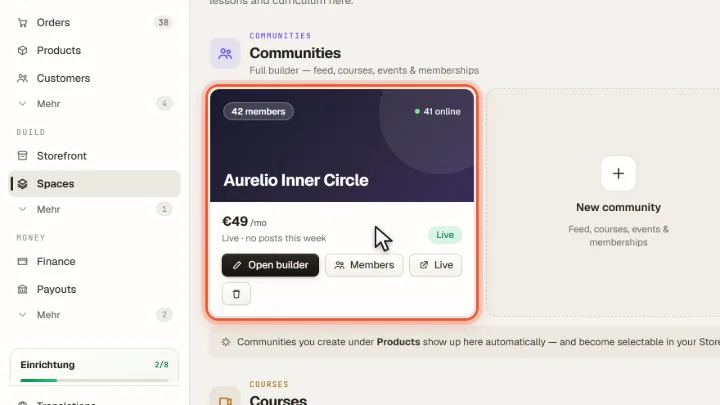
Open Spaces. Live on your community card opens the community as members see it; Open builder opens the community builder.
Add a livestream channel
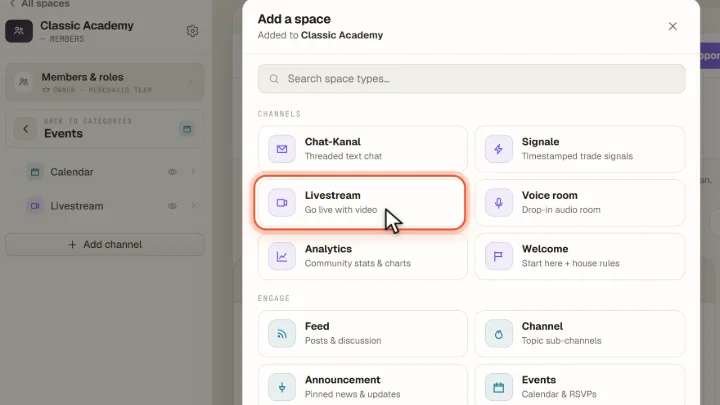
In the community builder (Open builder) open a category, for example Events, click Add channel and choose Livestream. After Publish members see the channel.
Click Go live
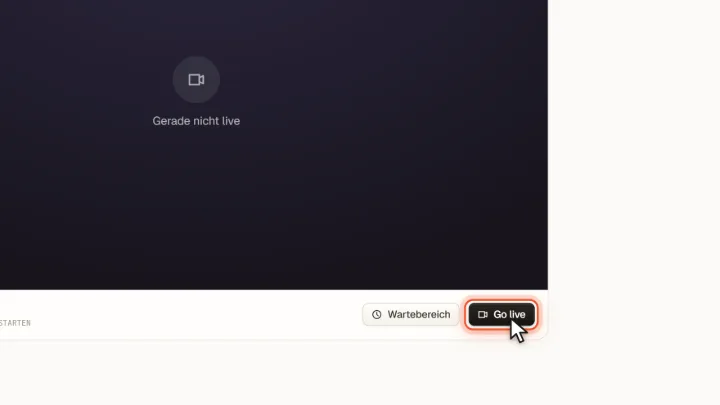
Open your community with Live and go to the Livestream channel. As the owner you see Go live; members can wait in the waiting area (Wartebereich) until you start.
Start the livestream
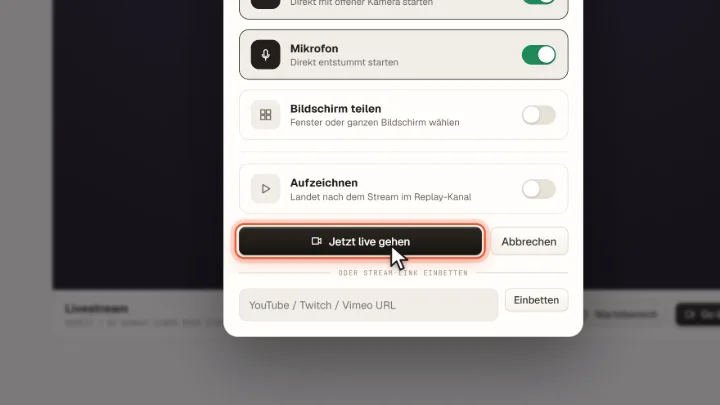
In the window Livestream starten enter a title and choose camera (Kamera), microphone (Mikrofon), screen sharing (Bildschirm teilen) and recording (Aufzeichnen); recordings land in the replay channel afterwards. Jetzt live gehen starts the room and members join straight away. Instead you can embed a YouTube or Vimeo link with Einbetten.
Plan events
Weekly or one-time events appear in the community calendar; members can set a reminder and join from there.
Frequently asked questions
How much live time is included?
Each session can last up to 90 minutes. How much you can go live each month depends on your live allowance: your share of Merchavio's shared live capacity. It is split evenly among all paying sellers, and your share is also capped by what your plan and your sales fees bring in. The shared live capacity is currently 50 participant hours per month for all sellers combined.
How are live minutes counted?
Every minute counts per person in the room, including you. If two videos run at once, such as camera and screen, a minute counts twice, with three or more three times. Example: one hour on camera in front of 19 members is 20 people × 60 minutes = 20 hours.
What happens when my allowance is used up?
Once your allowance is used up or the shared capacity is nearly exhausted, you cannot go live until the end of the month. Running streams and lounges end as soon as the limit is reached. It starts again on the 1st of the next month.