Spaces: overview and guides
Spaces · GuideBeta
Build an online course with modules and video lessons
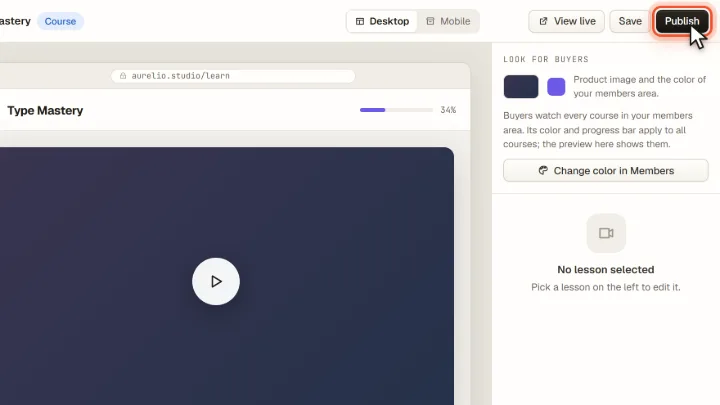
A course consists of modules with lessons. Each lesson can be a video, a PDF or text. Colour and progress bar come from your member area, and the preview shows what students see.
Beta: Courses work. Lessons cannot be released over time yet: buyers get all lessons right after purchase.
The steps in Merchavio
Screenshots from Merchavio with sample data. The coloured frame shows where to click.
Open the course
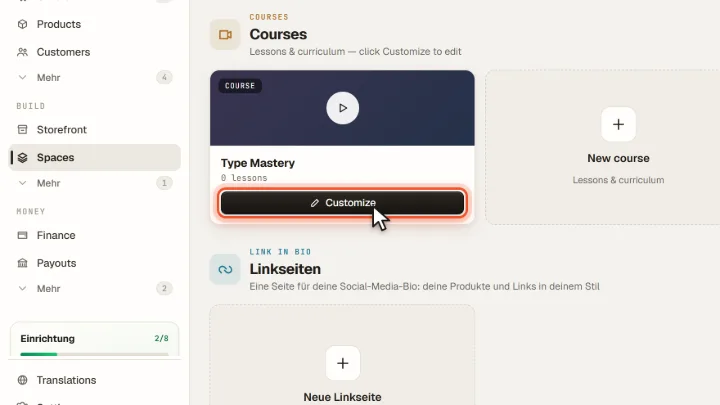
Open Spaces and click Customize on your course. New courses are created with New course.
Modules and lessons
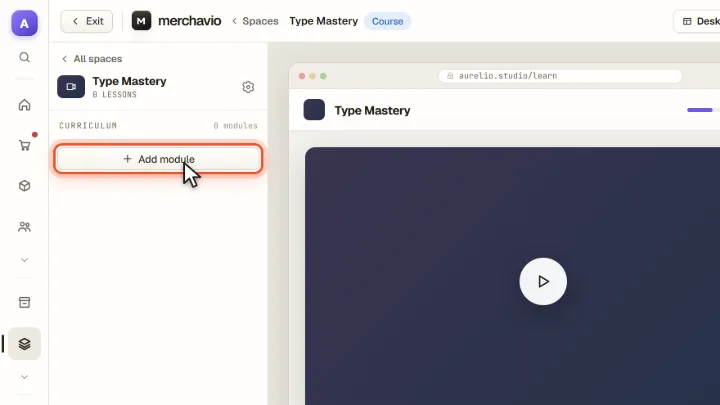
On the left is the curriculum. Add module adds a module; in each module you add lessons, upload videos or PDFs and mark lessons as free previews.
Check and publish
Switch between Desktop and Mobile in the preview and click Publish.