Storefront: overview and guides
Migrate your online store from another platform
The import gives you a head start, it does not move your whole store. It reads the page you enter and creates up to six empty pages named after its links. From prices it finds, it creates up to six product drafts with placeholder names, some with an image linked from your old site. Page content, courses and customers you move yourself.
Beta: The import only creates a starting point: up to six pages with a title and no content, and up to six product drafts from prices it finds, with placeholder names. Content, courses and customers you move yourself.
The steps in Merchavio
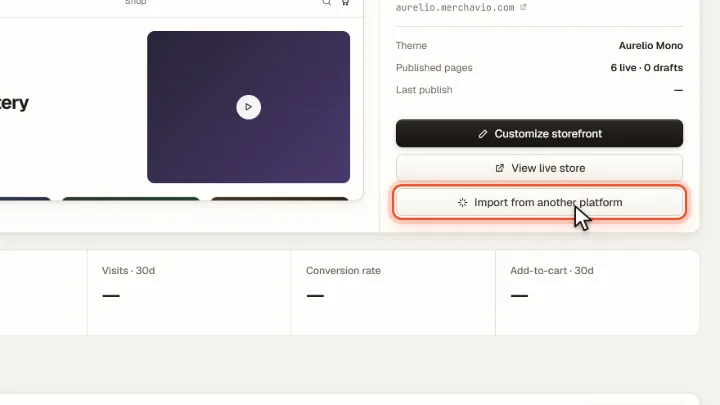
Screenshots from Merchavio with sample data. The coloured frame shows where to click.
Start the import
Open Storefront and click Import from another platform.
Enter the address
Enter the address of your current website. Merchavio reads it and creates empty pages and product drafts.
Check and publish
Fill the new pages in the builder and give the product drafts real names, texts and the right product type (they start as ebooks). Newsletter subscribers can be added under Marketing with Import contacts, with double opt-in. Send past buyers a Free access code from Discounts so they can unlock their product.