Storefront: overview and guides
Choose a theme for your store and go live safely
A theme sets fonts, colours and the overall look of your store. You can try a new theme as a draft without touching your live store, and switch back to a backup at any time.
The steps in Merchavio
Screenshots from Merchavio with sample data. The coloured frame shows where to click.
Open the theme library
Open Storefront. Under Theme library you see all themes, for example Studio Serif, Neo Grotesk, Bold Pop, Midnight or Course Pro. Show more themes shows the rest.
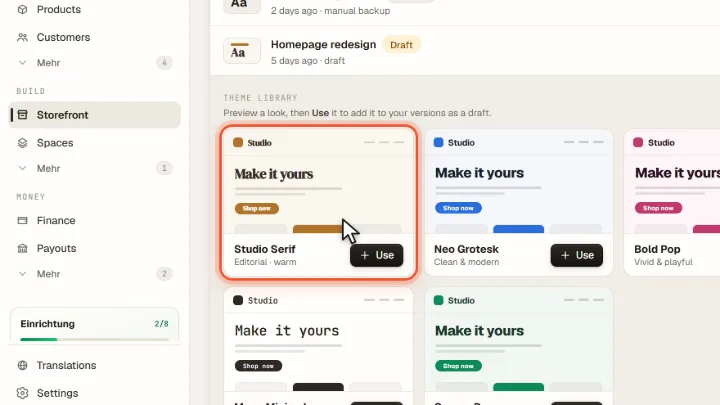
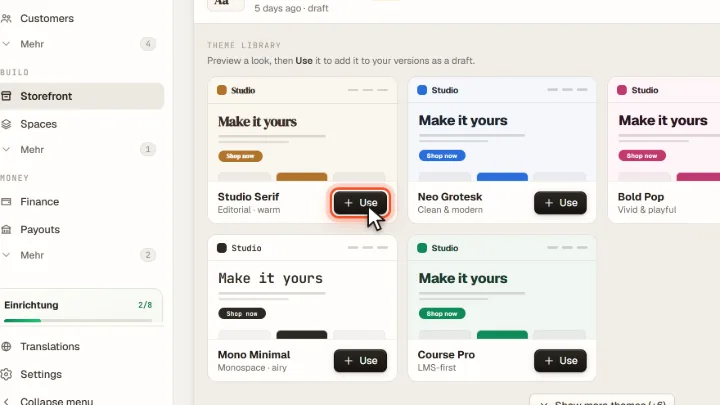
Preview and use
Preview shows the theme with your content. Use adds it to your versions as a draft; your live store does not change.
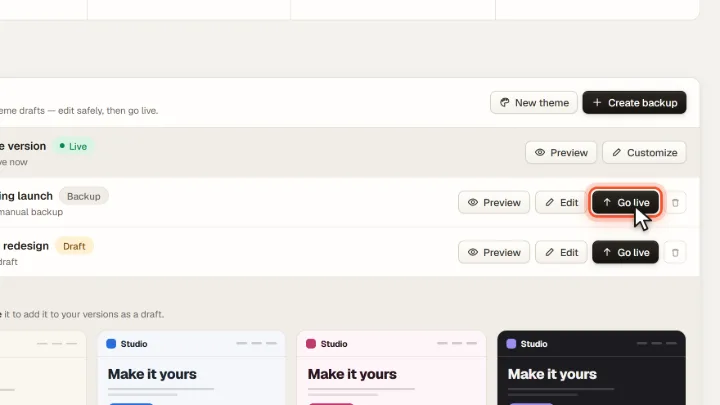
Edit and go live
Under Store versions you see the live version, backups and drafts. Edit opens a draft in the builder, Go live makes it your live store. Create backup saves the current state before big changes.
Frequently asked questions
Can I go back to my old design?
Yes. Create a backup before you switch; with Go live on the backup your old store is back.